
Control plane
- Organization and Microsoft tenant settings.
- Published Base Templates and Modules.
- User, group, and domain assignments.
- Configured attributes and approved images.
- Roles and audit history for administrative changes.
How it works
Sigora receives selected outbound messages from Microsoft 365 over an mTLS-secured connector path, resolves and applies the appropriate signature, then returns the message to Microsoft 365 for final delivery.
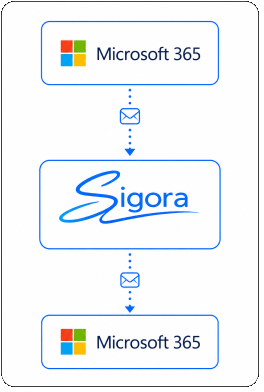
Message path
Microsoft 365 remains the mail system of record. Sigora performs the signature step inline and returns the message to the approved Microsoft 365 flow.
Why this matters: signature behavior is independent of the sender's Outlook installation or device, while Microsoft 365 continues to control message selection and final delivery.
Configuration and processing
Administrators manage approved configuration centrally. Processing nodes use that configuration when a message arrives.
For exact assignment priority, Modules, attributes, and preview behavior, see the Organization Control guides.
Data handling
During normal processing, Sigora handles the message in memory for signature injection. Message bodies and attachments are not persistently stored.
Diagnostic exception: authorized administrators can enable time-limited sensitive diagnostics for troubleshooting. Identifiable logs or full message dumps may then contain sensitive content. These controls are disabled by default, require an expiry, and are recorded in the audit log.
Security controls
mTLS-secured SMTP routing between Microsoft 365 and Sigora.
Least-privilege Microsoft Graph permissions.
Per-organization encryption keys.
Role-based access control for control-plane users.
Administrative audit logging without ordinary message-content exposure.
Pre-registered processing nodes and protected Controller communication.
No persistent message body or attachment storage during normal processing.
Resilience
Multiple processing nodes can support capacity and resilience. If a message cannot be accepted or returned successfully, Sigora uses SMTP responses so Microsoft 365 can apply the retry or failure behavior configured for the mail flow.
Controller high availability, node count, load balancing, and recovery design are deployment-specific. They should be validated for the selected Sigora release and licensed deployment rather than assumed from a generic topology.
Compare deployment responsibilityAsk us about routing, mTLS, data handling, deployment boundaries, or a deeper technical evaluation.